
Documents
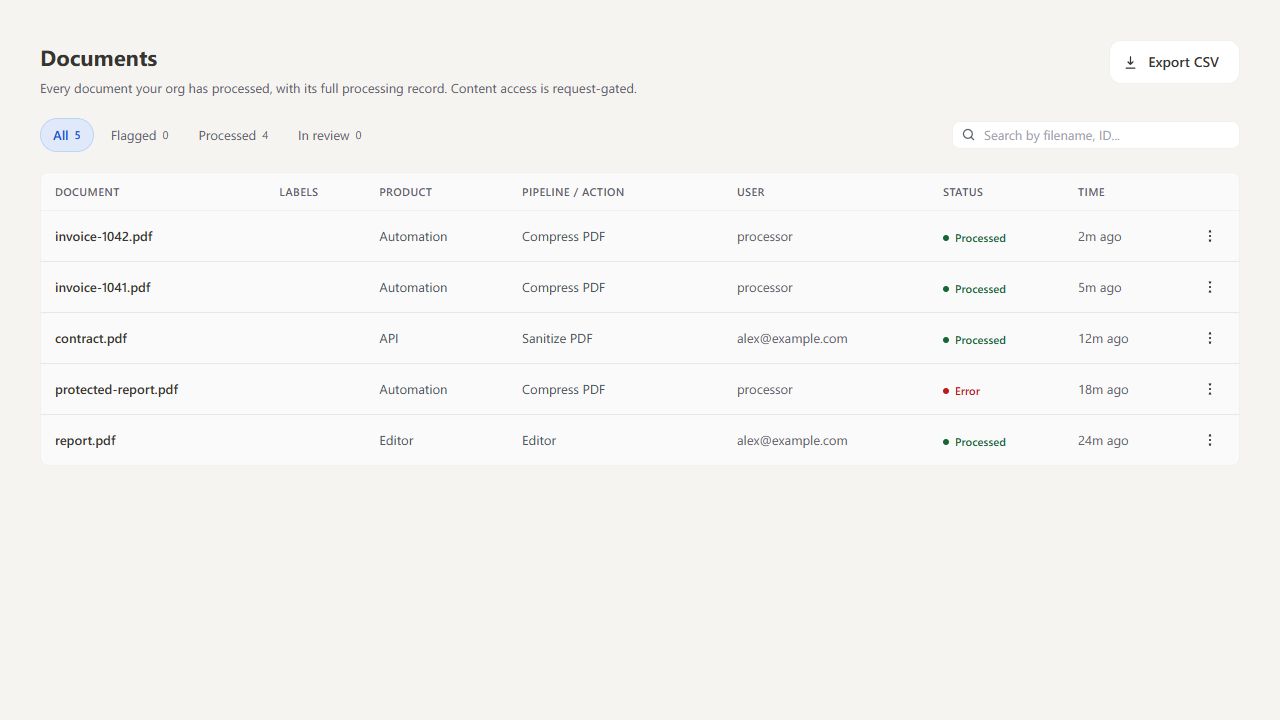
Open Processor → Documents to confirm a pipeline ran on a file, see which operation handled it and when, and spot anything that failed. Each row shows a file name, the operation, who ran it, the outcome and the time.
Find and inspect activity#
Search by filename or ID and use the status filters to narrow the list. Click a row to open its Overview and Audit details.
The page displays up to 40 recent file-operation records. A file processed several times can appear more than once. Reload the page to refresh the list.
Export CSV downloads all loaded rows, including any hidden by the current filters. For failed runs and error details, open Review.
What you see#
Documents shows processing records, not the files themselves: files cannot be opened or downloaded from here. On Stirling Cloud you see your team's records. On a self-hosted server you see records for the whole server.
On a self-hosted server, records are kept for up to 30 days without an Enterprise licence. For retention settings and full audit searches, see Audit logging.
