
Review
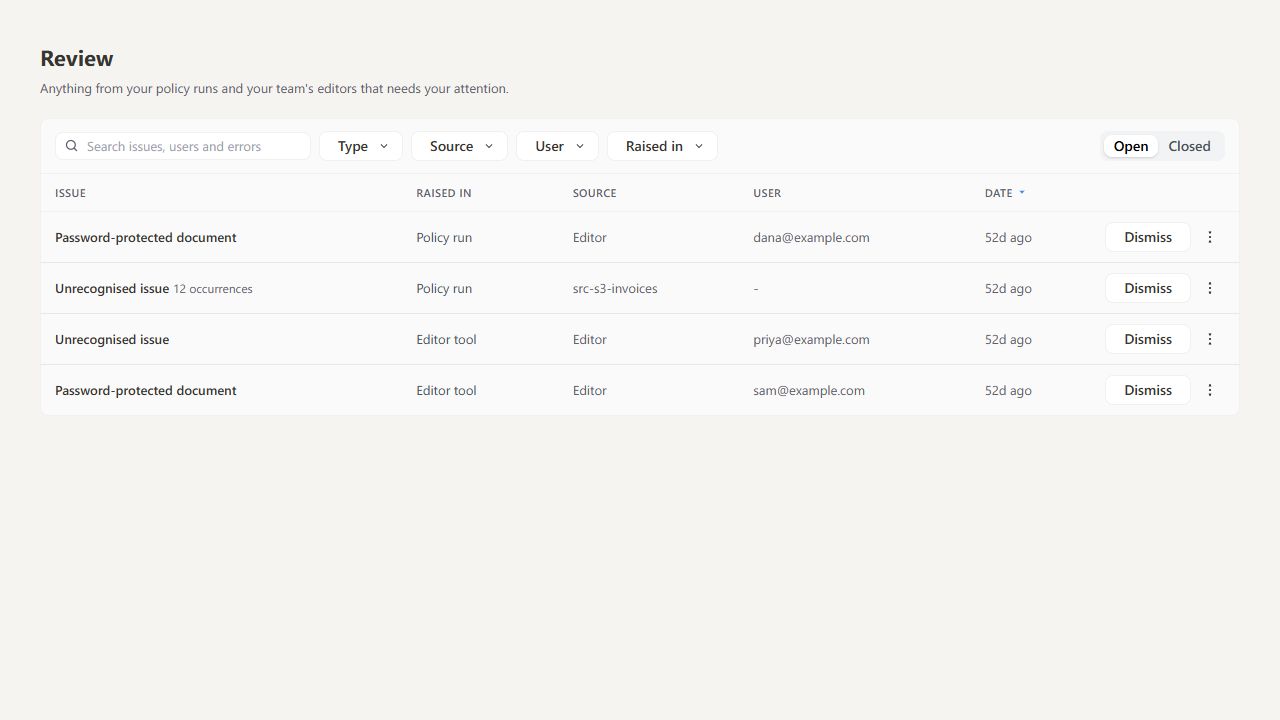
Open Processor → Review to see why a pipeline run or editor operation failed, correct the cause, and try again.
Investigate an issue#
- Start with Open issues.
- Search by issue, user or error, or filter by Type, Source, User and Raised in.
- Choose View error from the row menu. Use Copy error to copy the diagnostic.
- Fix the cause, then use the recovery action offered or rerun the pipeline.
Repeated issues can be grouped with an occurrence count. The date shows the latest occurrence.
Dismiss closes an issue without rerunning it. Switch to Closed to see resolved issues and their outcomes.
You see issues from your own runs. People who manage pipelines also see issues from the team's runs, including scheduled and folder-watch runs that have no user to tell; see Who can open and manage it.
The page loads up to 50 recent records and refreshes every 30 seconds while visible. Search and filters apply to those records.
